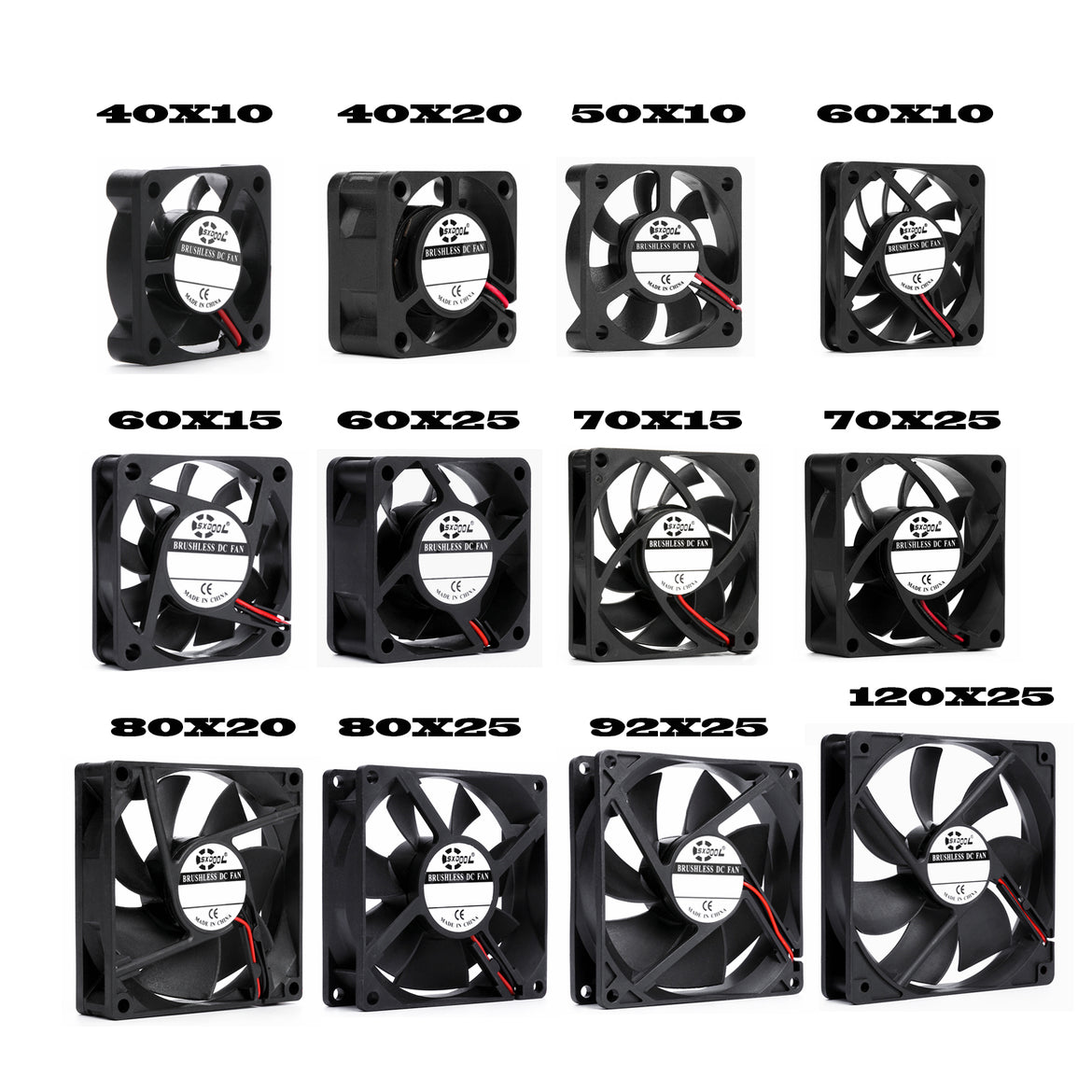
Choosing the Right Case Fan: A Comprehensive Guide
- 20 Dec, 2023
Introduction:
Selecting the appropriate case fan is crucial for maintaining optimal temperatures and ensuring the longevity of your computer components. In this guide, we'll explore key factors to consider when choosing the right case fan for your system.
1. **Size Matters:**
The first step is determining the fan size that fits your case. Common sizes include 120mm and 140mm. Ensure compatibility by checking your case specifications.
2. **Airflow and Static Pressure:**
Understand your cooling needs. Fans designed for high airflow are suitable for general ventilation, while those with high static pressure work well in scenarios with restricted airflow, like heatsinks and radiators.
3. **Noise Level:**
Consider the noise level (measured in decibels) of the fan. Fans with lower decibel ratings are quieter but may sacrifice some airflow. Strike a balance based on your preference and system requirements.
4. **Bearing Type:**
Choose between sleeve, ball, or fluid dynamic bearings. Sleeve bearings are cost-effective, ball bearings are durable, and fluid dynamic bearings offer a balance between performance and longevity.
5. **Fan Speed Control:**
A compatible motherboard or controller may regulate fan speed by supply voltage or a PWM signal. Temperature response depends on the controller and its settings, not simply the fan label. Check the exact fan and header documentation; “DC” does not mean fixed speed.
6. **Budget Considerations:**
Determine your budget and find fans that offer the best balance of performance and features within your price range. Quality doesn't always mean a higher price tag.
Conclusion:
Choosing the right case fan involves considering factors like size, airflow, noise level, bearing type, control methods, brand reputation, aesthetics, and budget. By carefully evaluating these aspects, you can ensure effective cooling tailored to your system's needs. Make an informed decision to enhance your PC's performance and longevity.
Selecting the appropriate case fan is crucial for maintaining optimal temperatures and ensuring the longevity of your computer components. In this guide, we'll explore key factors to consider when choosing the right case fan for your system.
1. **Size Matters:**
The first step is determining the fan size that fits your case. Common sizes include 120mm and 140mm. Ensure compatibility by checking your case specifications.
2. **Airflow and Static Pressure:**
Understand your cooling needs. Fans designed for high airflow are suitable for general ventilation, while those with high static pressure work well in scenarios with restricted airflow, like heatsinks and radiators.
3. **Noise Level:**
Consider the noise level (measured in decibels) of the fan. Fans with lower decibel ratings are quieter but may sacrifice some airflow. Strike a balance based on your preference and system requirements.
4. **Bearing Type:**
Choose between sleeve, ball, or fluid dynamic bearings. Sleeve bearings are cost-effective, ball bearings are durable, and fluid dynamic bearings offer a balance between performance and longevity.
5. **Fan Speed Control:**
A compatible motherboard or controller may regulate fan speed by supply voltage or a PWM signal. Temperature response depends on the controller and its settings, not simply the fan label. Check the exact fan and header documentation; “DC” does not mean fixed speed.
6. **Budget Considerations:**
Determine your budget and find fans that offer the best balance of performance and features within your price range. Quality doesn't always mean a higher price tag.
Conclusion:
Choosing the right case fan involves considering factors like size, airflow, noise level, bearing type, control methods, brand reputation, aesthetics, and budget. By carefully evaluating these aspects, you can ensure effective cooling tailored to your system's needs. Make an informed decision to enhance your PC's performance and longevity.
Reference: Noctua fan-control guidance describes voltage and PWM control for its PC fans. For industrial or proprietary connectors, use the exact-model pinout and our connector matching guide.